Scale Navi
Master Hanon Exercise 39 - "Scales in All Keys"
Visual fingering display and metronome feature for efficient scale practice

Key Features
All 24 Keys Supported
Coverage of all 12 major and 12 minor scales. All three minor types: Harmonic, Melodic, and Natural.
Free version includes 12 basic keys
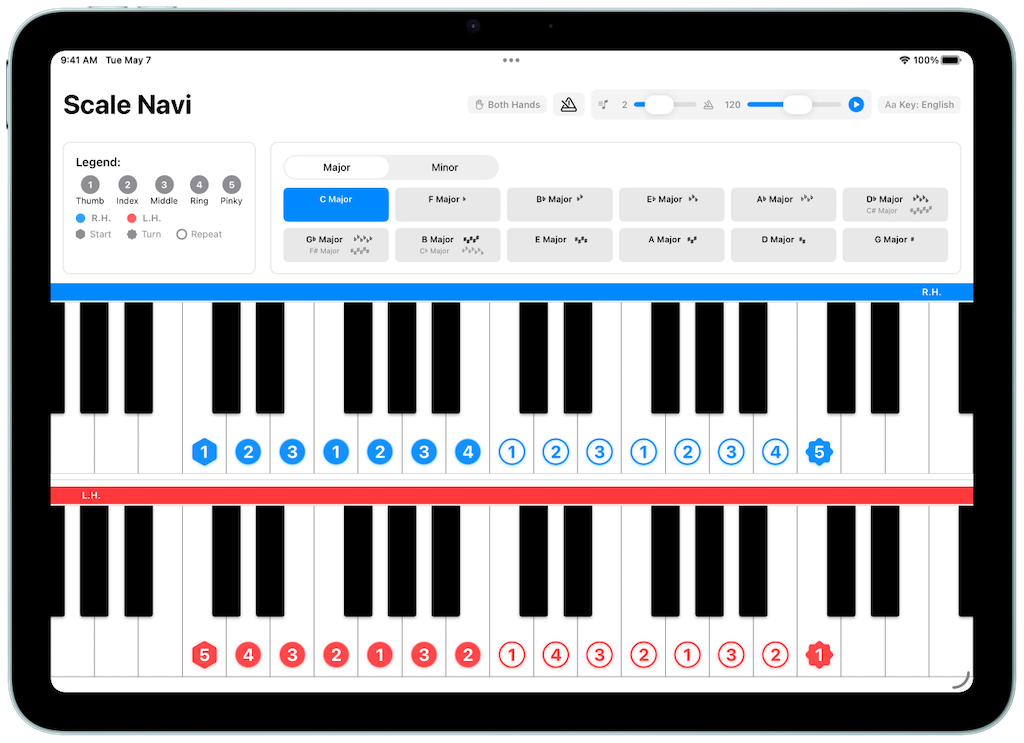
Visual Fingering Display
Color-coded hands (Right: Blue, Left: Red). Hexagons for start positions, seals for turnarounds - intuitive design.
Finger crossing highlight feature (Toggle ON/OFF)
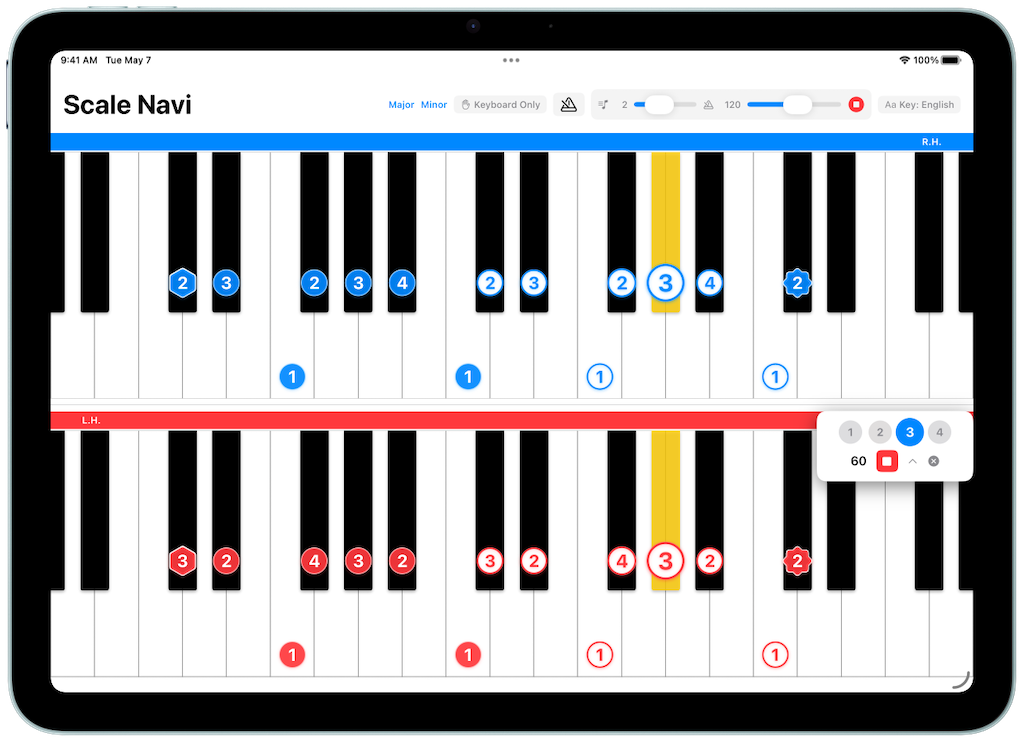
Scale Auto-Play Feature
Adjust tempo freely and follow along with animated keys. Octave range (1-4), repeat function included. Background playback supported (requires "Always Play Sound" enabled in Settings).
Progressive practice for steady improvement
Metronome Feature
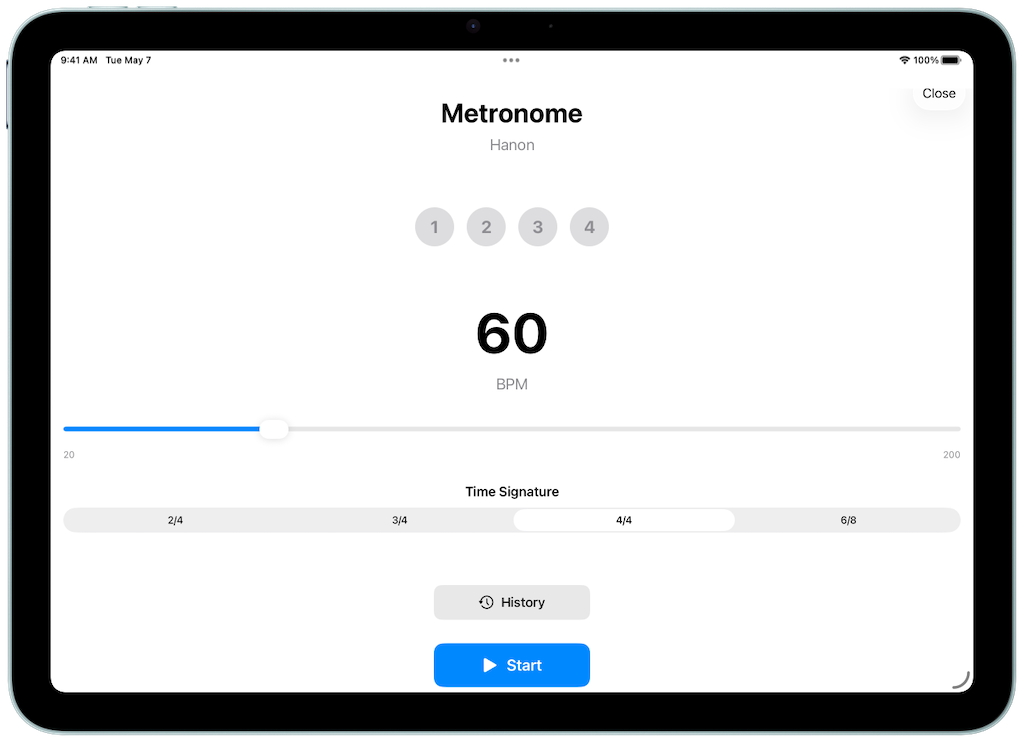
Perfectly synced with scale playback, with off-beat mode. Pre-count (0-8 beats), titled history management (up to 100 entries). Floating display with drag-to-move.
Background playback (requires "Always Play Sound" enabled. Free: 3 min, Premium: Unlimited)
Mastery Tracking
Track your mastery of each key in 4 levels: None, Struggling, Improving, and Mastered. Colored borders and icons show your progress at a glance.
Set with one tap from the floating button
Key Filtering
Filter keys by mastery level or minor scale type. Focus your practice on the keys you struggle with. Filter state is automatically remembered.
Smart practice planning support
Recording Feature
Record your practice sessions to track your progress. Auto-trim feature automatically removes silence at the beginning and end. Add titles and comments, export to share with teachers or friends. Waveform display for intuitive control. Background playback supported.
Free: 3 recordings, Premium: Unlimited
Sheet Music Viewer
Import PDF sheet music into the app for quick reference during practice. Supports automatic split-page display for spreads and pinch-to-zoom. Vertical scroll mode for continuous page browsing. Remembers your reading position so you can pick up right where you left off.
Free: 3 sheets, Premium: Unlimited
Navigation Path NEW
Set anchor points on sheet music and navigate through them in practice order. Freely set display areas with the guide frame, tap to move to the next anchor. Loop playback supported.
Reorder and individually adjust anchors
Practice History Charts NEW
Visualize your practice time and frequency with charts. Track your progress by day, week, or month to stay motivated.
Available for all users
iCloud Sync
Automatically sync your app data across multiple devices. Practice on your iPhone and continue seamlessly on your iPad.
Available for all users
App Screenshots
Scale Display
Playback Feature
Metronome
Version Comparison
Free Version
- Practice scales in 12 basic keys
- 6 Major scales (C, G, D, F, Bb, A)
- 6 Minor scales (A, E, B, D, G, F#)
- All three minor types (Harmonic, Melodic, Natural)
- Recording feature (up to 3 recordings)
- Sheet music viewer (up to 3 sheets)
- Background playback limited to 3 minutes (requires "Always Play Sound" enabled in Settings)
Upgrade
- Unlock all 24 keys
- Unlimited recordings
- Unlimited sheet music
- Unlimited background playback (requires "Always Play Sound" enabled in Settings)
* Storage depends on available device or iCloud storage
Ideal For
Piano Beginners
Just started learning scales
- Can't memorize fingering numbers
- Don't know which key to start with
- Want to develop proper tempo sense
Intermediate Players
Mastering all 24 keys
- Want to practice Hanon 39 efficiently
- Need to overcome weak keys
- Want to increase tempo gradually
Self-learners
Studying with YouTube or online materials
- Need a reference tool anytime
- Want to practice at own pace
- Want to improve practice quality
Piano Teachers
Looking for teaching support tools
- Can recommend as homework reference
- Visually clear teaching material
- Support students' self-practice
Master Hanon Exercise 39 - "Scales in All Keys"
An ideal tool for practicing Hanon Exercise 39, a classic piano technique builder.
Check fingering for all keys while practicing efficiently.
Problems We Solve
Problem
"I can't memorize fingering numbers... I keep looking at the sheet music"
Solution
Visual fingering display with colors and shapes for intuitive understanding. Start and turnaround positions are clear at a glance.
Problem
"It's hard to play with a metronome... My timing is always off"
Solution
Pre-count feature gets you ready. With scale playback and metronome synchronized, you'll develop accurate rhythm sense.
Problem
"I don't know how to practice all 24 keys efficiently..."
Solution
Key navigation in Hanon 39 order for efficient practice following the textbook. Finger crossing highlight helps master techniques.
Download Now and Start Practicing
Start practicing 12 basic keys now with the free version